Long coding sessions have a way of revealing every weak point in a desk setup. The kitchen chair that felt fine for dinner becomes a torture device by hour three. Shoulders creep up, the lower back starts to ache, and you find yourself propping a cushion behind you just to get through the next commit. That constant fidgeting and repositioning is often a chair crying out for retirement.
A good ergonomic chair can’t replace regular movement, but it can reshape how your body feels after a day of deep work. The models in this guide are pulled from editorial roundups by Wired and The Strategist, tested for all-day use, and recommended by chiropractors who see the damage that poor seating can do. Many are available in the UK, and we also cover the LiberNovo Omni, which we sell here in the UK.
Why Your Chair Matters for Long Hours
The spine isn’t designed for locked-in-place sitting. Dr. Scott Bautch, a chiropractor with the American Chiropractic Association’s Council on Occupational Health, has explained that prolonged sitting can slowly break down spinal structures, contributing to discomfort that radiates into the shoulders, neck, and hips. One-size-fits-all chairs only accelerate the problem: a seat depth that doesn’t match your thighs, lumbar support that hits the wrong spot, or armrests too high will have you twisting and slumping all day.
Coders and desk workers often feel this as a trifecta of back, shoulder, and wrist pain, especially when working from makeshift setups. A chair that constantly prompts you to shift position isn’t doing its job. The chairs ahead—curated with help from chiropractic experts and editorial testers—are picked because they pay attention to how real bodies sit for hours at a time.
What to Look for in an Ergonomic Chair
A truly supportive chair adapts to you. Seat height lets your feet plant flat, seat depth keeps your thighs supported without pinching behind the knees, and adjustable lumbar support fills the gap where your lower back naturally curves. Recline tension matters too; a backrest that’s too stiff forces you to lean forward, while one that’s too loose offers no resistance. Dr. Marc Agulnick of NYU Winthrop Hospital points out that seat depth is a frequent culprit in office-chair pain—a seat too deep can press into the calves, pushing you into a perching position that strains the entire back.
Weight capacity and seat dimensions are not just about durability. A chair rated for heavier users, like the Herman Miller Aeron in sizes B and C (159 kg and 181 kg), tends to have a wider and deeper seat than one capped at 125 kg (275 lb). Multiple size options signal that the manufacturer knows one shell can’t possibly fit every frame. If you’re tall, a seat that’s too short will leave your hamstrings dangling; if you’re petite, a deep seat will press into your knees.
Breathability often splits the room. All-mesh chairs like the Aeron keep air moving, reducing that sweaty-back feeling mid-Zoom. All-foam chairs, such as the Steelcase Gesture, feel plush but hold onto heat. Fabric upholstery can be a pet-hair magnet—something to weigh if your work companion leaves a trail on every surface. Chiropractors like Dr. Bautch also urge active sitting: engaging trunk muscles with tools like the Gaiam balance ball chair can help, but those are short-term supplements, not all-day solutions.
Best Ergonomic Chairs for Long Hours
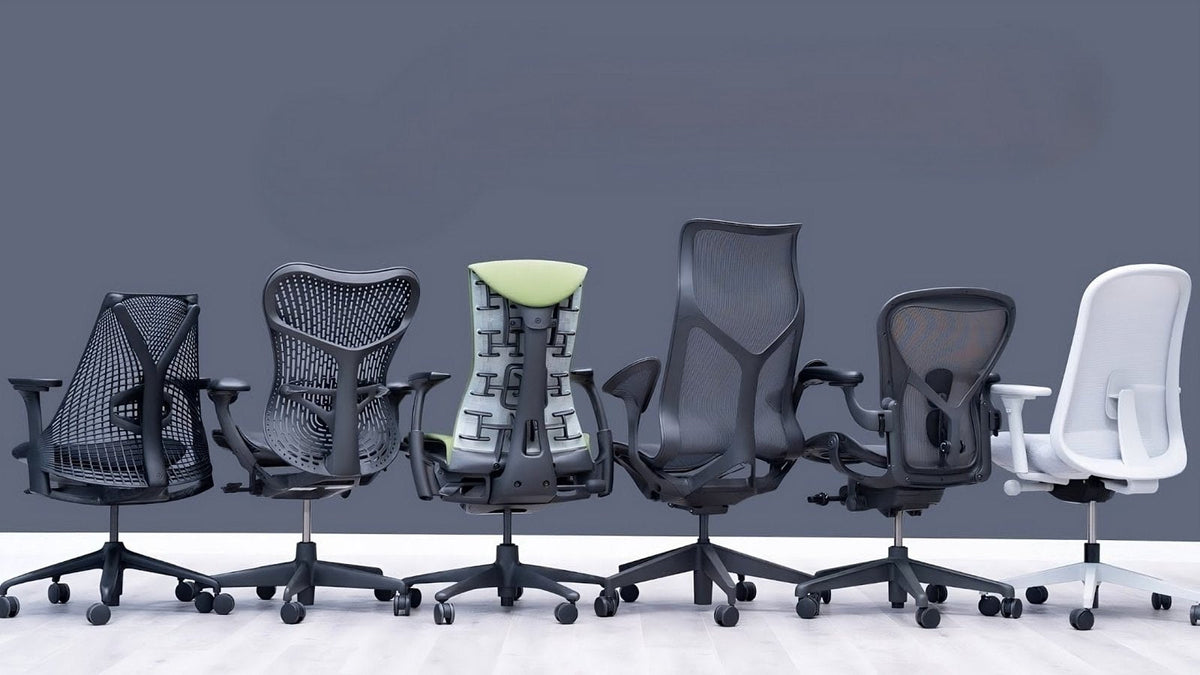
The chairs below come from rigorous testing by editorial teams and chiropractor-endorsed lists. They vary in style, size support, and features, but each is designed to carry you through long work sprints without constant readjustment. The table gives a quick side-by-side, and the sections that follow dig into what makes each one stand out.
| Product | Best For | Main strength | Weight Capacity | Seat Depth |
|---|---|---|---|---|
| Herman Miller AeronAeron parts | All-day breathable support | Adjustable lumbar, durable mesh | Up to 181 kg (400 lb), by size | 41, 43 or 47 cm (size A, B or C) |
| Herman Miller SaylSayl parts | Design-forward with flexible back | Flexible spinal support | 159 kg (350 lb) | 41 cm, or 41–46 cm adjustable |
| Razer Iskur V2 NewGen | Gaming chair with built-in lumbar for coding | Adjustable lumbar mechanism tested for comfort | 136 kg (299 lb) | 45 cm |
| Vari Align | Adjustable backrest for posture correction | Promotes upright alignment for fidgeters | 113 kg (250 lb) | 50–55 cm, adjustable |
| LiberNovo OmniView chair – Midnight Black – 48cm Seat Depth | UK-available dynamic lumbar support | Lumbar support adapts to movement | 136 kg (300 lb) | 48 cm |
Herman Miller Aeron Chair
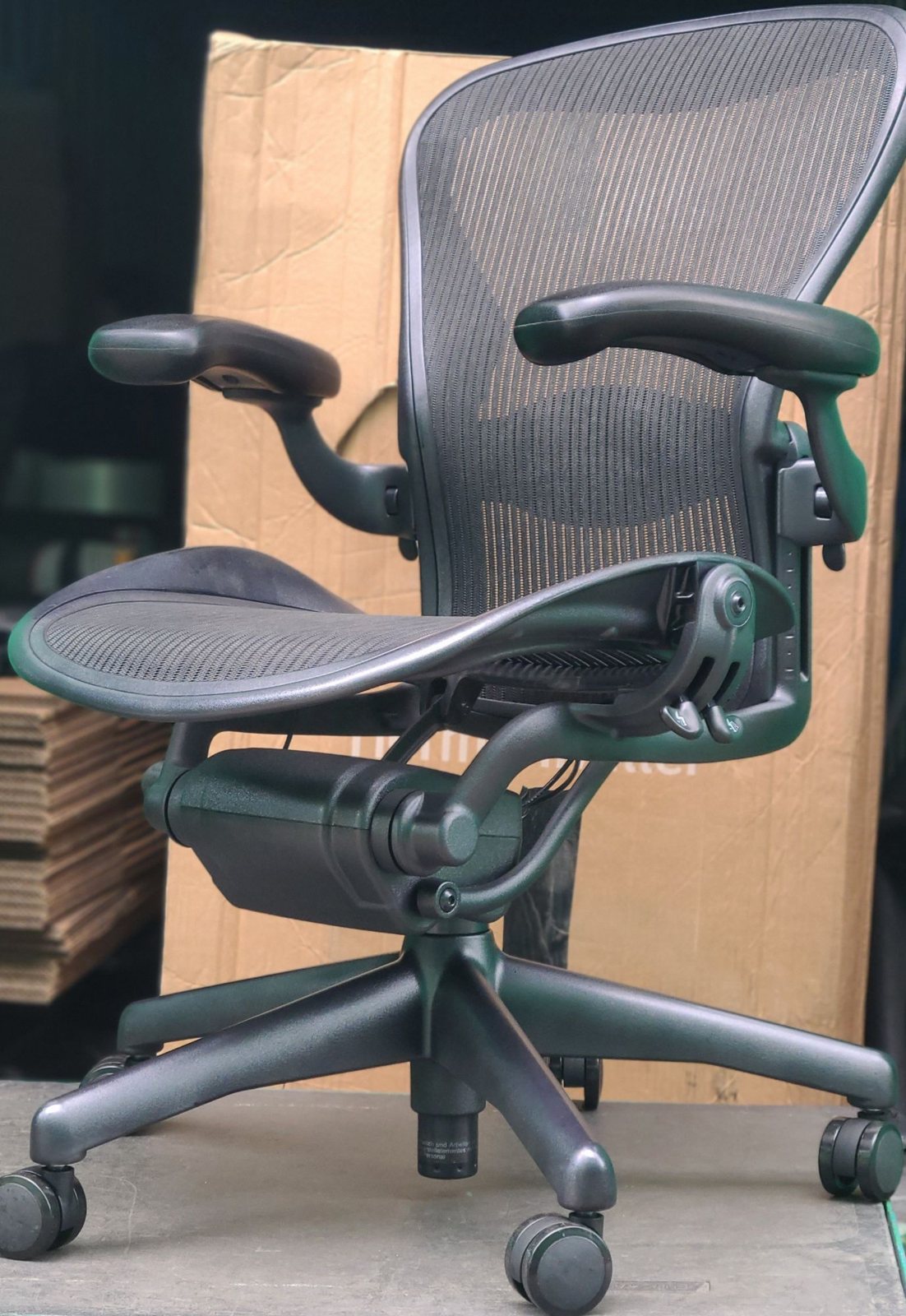
Wired rates the Aeron highly, largely because of the full-mesh seat and back. That mesh means you’re sitting in air, which is a subtle mercy when the afternoon heat builds. The lumbar pad slides up and down to meet the small of your back, and the chair’s sturdy build is rated for up to 136 kg (300 lb) in size A, 159 kg (350 lb) in size B and 181 kg (400 lb) in size C. Three size options let you match the chair’s width and depth to your frame—something the single-size Branch Verve chair, capped at 125 kg (275 lb), can’t offer. If you’ve ever felt a chair clamp your thighs or leave a gap at your lower spine, the sizing flexibility here can feel like a genuine upgrade. If you already own one, here is how to tell which size it is.

Aeron Classic

Aeron Remastered
Herman Miller Sayl Chair
The Sayl doesn’t look like the “Dot Com Throne” that Wired’s team calls the Aeron, and that’s the point. Its suspension back, inspired by bridge cables, flexes as you lean, giving a different kind of spinal support—less static, more responsive. The chair still supports up to 159 kg (350 lb), and its design may slip more neatly into a home office that doubles as a living space. For someone who wants ergonomic adjustability without the corporate silhouette, the Sayl’s modern lines and range of colourways make it feel personal rather than institutional.

Herman Miller Sayl
Razer Iskur V2 NewGen
The Iskur V2 NewGen is a gaming chair that Wired’s testers found genuinely useful for long desk sessions, not just play. Its built-in lumbar support pops outward when you lean forward—a common posture for coders peering at a screen. The mechanism gives your lower back a physical cue to stay upright without you having to think about it. Independent long-term durability data isn’t available yet, but the initial build quality impressed the testing team enough to include it in their roundup. If you’re coming from a cheap gaming chair that left your back sore, this is a notable step forward.
Vari Align
The Vari Align’s defining feature is a backrest that adjusts separately from the seat, nudging you toward a more upright posture. The Strategist highlights it for ergonomic design that suits chronic fidgeters—people who can’t stop shifting and then slumping. Because the backrest tilt works independently, you can set it just a bit forward, and the chair gently resists when you try to collapse into a slouch. It’s not aggressive, but it is constant, and that can make a difference over a long coding session.
LiberNovo Omni
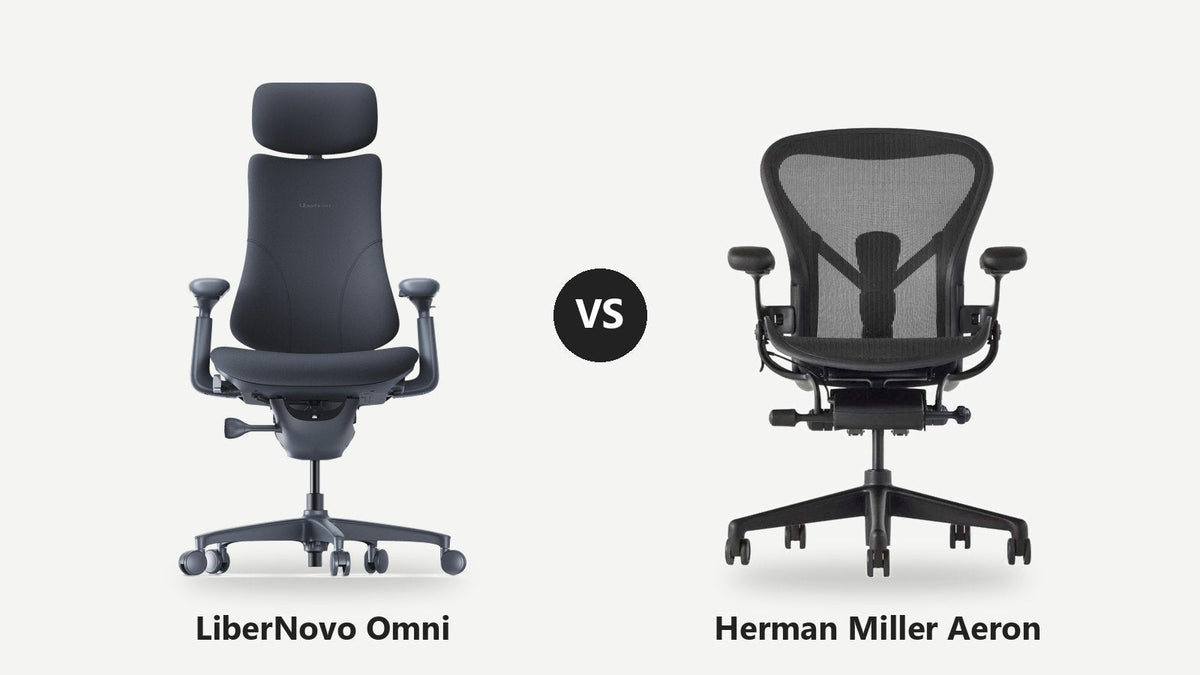
The LiberNovo Omni is the one chair here that we sell ourselves, so we have kept to what the maker and independent reviewers say. Its party piece is a motorised lumbar support that moves up, down, in and out at the press of a button, with a massage mode and electronic recline presets, and its back and headrest are designed to move with you as you lean and twist. The version we sell has the deeper 48 cm seat (a 45 cm version also exists), which suits taller people and longer thighs, and LiberNovo rates it for up to 136 kg (300 lb). BTOD rated it the most comfortable chair they had tested, ahead of the Aeron, while PCMag and PCGamesN found the headrest and armrests a little loose. We compare the two in detail in LiberNovo Omni vs Herman Miller Aeron.
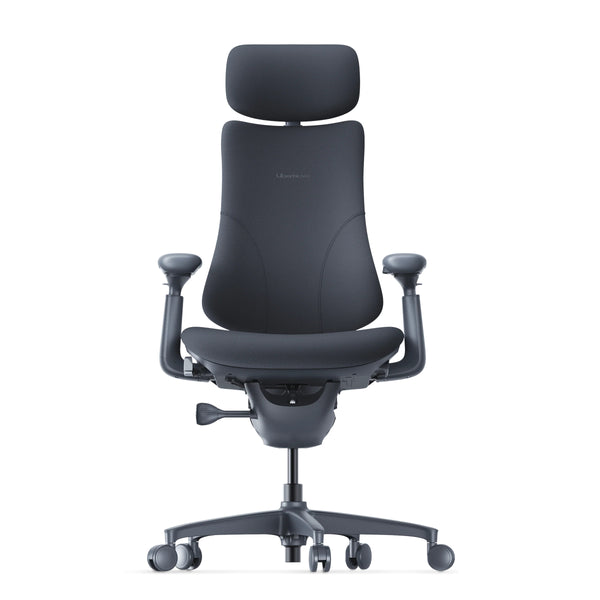
LiberNovo Omni · £600.00

Side view, with headrest
How to Set Up Your Chair for Deep Work
Even the most refined chair won’t help much if it’s set up like deck furniture. Start with seat height: your feet should rest flat on the floor, thighs roughly parallel. If the chair’s lowest setting still leaves your heels dangling, a footrest can close the gap. Then adjust seat depth so there’s two to three fingers of clearance between the front edge and the back of your knees—any less and you’ll be perching; any more and you’ll lean forward to relieve knee pressure.
Armrests are next. They should let your elbows fall at a 90-degree angle with your shoulders relaxed. Too high and you’ll unconsciously shrug, knitting tension into your neck and upper back. Then align your monitor so the top of the screen is at eye level, which keeps your neck in neutral.
Static sitting is the enemy. Dr. Bautch recommends micro-breaks every 30 minutes: stand, stretch, roll your shoulders. Tools like the Gaiam balance disc can engage your trunk when placed on a chair for short periods, but they aren’t full-day replacements—use them in 20-minute bursts, not as a permanent add-on. A simple checklist for deep work: chair adjusted to your body, monitor at eye height, keyboard and mouse within reach without leaning, feet supported. With these pieces aligned, you’re less likely to break position to compensate for discomfort.
Making the Decision: Which Chair Is Right for You?
If you run hot or your workspace lacks air circulation, the Aeron’s mesh can keep you cooler than foam-heavy alternatives like the Steelcase Gesture. If you prefer a softer seat and a more sculptural look, the Sayl’s suspension back may feel more inviting. The Razer Iskur brings a built-in lumbar that coders leaning into a monitor will appreciate, while the Vari Align rewards those who fidget—its backrest gives a constant, gentle reminder to sit taller. And the LiberNovo Omni adds motorised lumbar support and a deep 48 cm seat that taller bodies often need.
Fit is deeply personal. The Aeron’s three sizes mean a petite frame isn’t adrift in a wide seat, and a broader build isn’t squeezed. If you can visit a showroom, sitting in a chair for ten minutes tells you more than any spec sheet. When you’re torn between models, revisit the comparison table above—it’s there for quick side-by-side scanning as you weigh mesh vs. foam, size options, and lumbar style.
In stock now
The chair and its accessories, with free UK delivery.
-
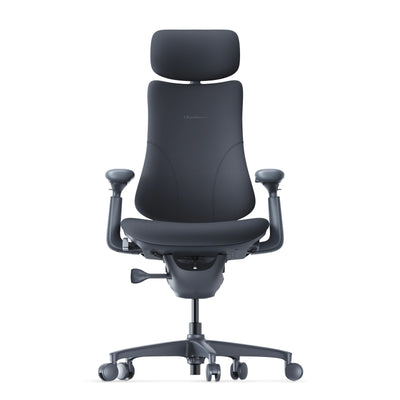 LiberNovo Omni Dynamic Ergonomic Chair – Midnight Black (48cm Seat Depth)
£600.00
LiberNovo Omni Dynamic Ergonomic Chair – Midnight Black (48cm Seat Depth)
£600.00
-
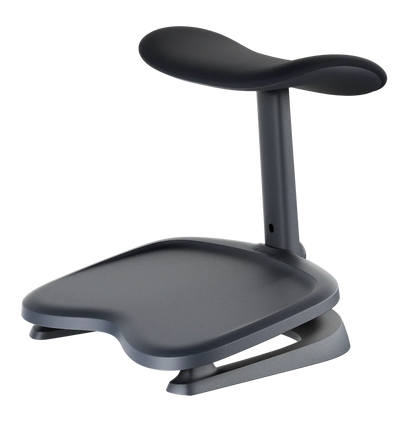 LiberNovo StepSync Footrest – Midnight Black | Ergonomic Footrest for Desk & Chair
£50.00
LiberNovo StepSync Footrest – Midnight Black | Ergonomic Footrest for Desk & Chair
£50.00
-
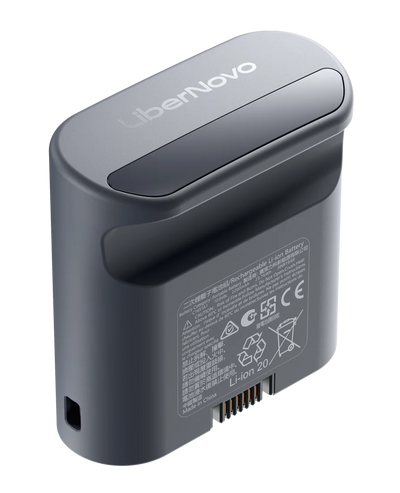 LiberNovo Omni Rechargeable Battery – Midnight Black | Replacement & Spare Battery for Omni Chair
£50.00
LiberNovo Omni Rechargeable Battery – Midnight Black | Replacement & Spare Battery for Omni Chair
£50.00
-
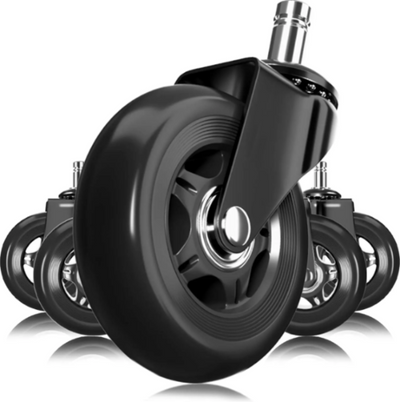 Herman Miller Black Rollerblade Wheels (3 Inch)
£24.95
Herman Miller Black Rollerblade Wheels (3 Inch)
£24.95
-
 Herman Miller Soft Floor Casters (Set of 5)
£19.99
Herman Miller Soft Floor Casters (Set of 5)
£19.99
-
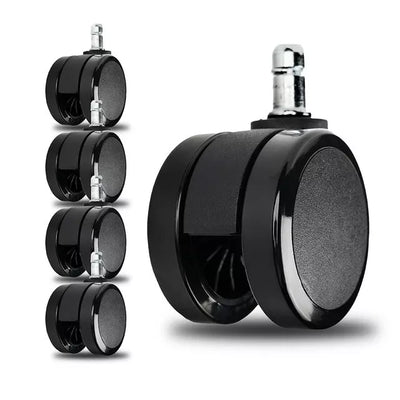 Herman Miller Hard Floor Casters (Set of 5)
£19.99
Herman Miller Hard Floor Casters (Set of 5)
£19.99